Rock Paper Reality
A use-case on conversational AI and Sound.
We are here.
It’s been more than a decade since I first designed for the Oculus Rift Dev Kit 2.
The first time I put the headset on, it truly felt like stepping into the future. It was clear to me that XR would eventually become a breakthrough for UI; not UI in the way most people see it today - buttons, infinite scroll, “best practices,” and design standards - but UI as the way technology interfaces with the world.
I remember, at the beginning of my career as a UI designer around 2005, reading an article about how the future of UI is no UI. Back then, it felt a bit daunting.
For many years, that idea seemed far from reality, but today it feels like it’s right around the corner.
And that’s why I’m excited about this challenge.
Initial assumptions.
My first assumption was that I wanted to create something cool and futuristic, but also realistic.
I wanted to design something that could be entertaining while solving real problems.
At the same time, I had to rely on a few abstractions and some “fragile” assumptions, since I don’t have the time to dive deeply and geek out into every hardware feature of the different smart glasses currently available, or conduct thorough research to determine which LLM would be the best match for this.
Still, I tried to build the use case on the general knowledge we have about these devices and the LLMs people use every day.
These ideas do not depend on any specific hardware feature or some kind of “cosmic alignment” of technological variables to work.
Designed from experience.
The idea for this use case comes from my recent experience working for a game studio in Berlin.
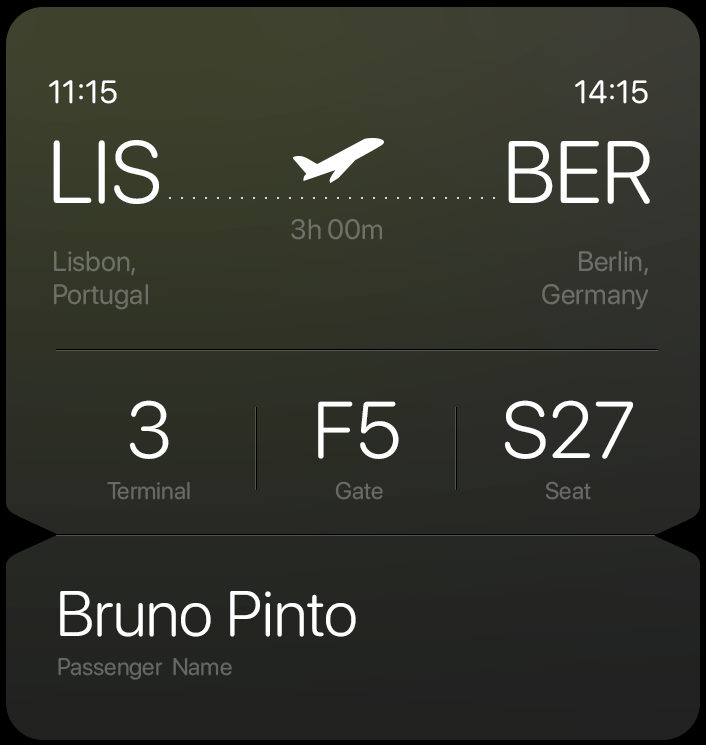
I’m based in Lisbon and over the last 15 months I’ve flown to Berlin many times: an amazing city full of greatness, weirdness, diversity, art, and culture.
There’s just one problem: I can’t read a single word in German.
This is the country that gave us words like Kraftfahrzeughaftpflichtversicherung (which, in case you’re wondering, means motor vehicle liability insurance).
When it comes to train stations, it doesn’t get much easier. I invite you to try reading this out loud in your head: Berlin-Hohenschönhausen. Yeah.
Berlin has a fantastic public transport system, but it can be hard to navigate if you’re not used to it or don’t understand basic German. It’s a huge city; a ride from Berlin Brandenburg Airport to the center can easily cost around €100 by Uber, so it practically forces you to rely on public transportation.
This use case focuses on one specific part of this problem (mainly due to time constraints) and hopefully can be extrapolated to a broader challenge.
I tried to present it as a compelling, step-by-step story to make it easier to follow.
I’m completely ditching the phone for this challenge, as using smart glasses would make it a much more interesting problem to solve.

01// Arriving Berlin
My plane has just landed at Berlin Brandenburg Airport. I step out of the gates.
I know I’m staying at the Holiday Inn at Uber Platz.
What do my glasses detect as soon as I take my phone off airplane mode?
My location
The time
A language mismatch
A calendar event (hotel booking)
An email confirmation
AI activates in a subtle presence.
It doesn’t wait for a perfect command or force me to take action. Instead, it simply says:
“Welcome to Berlin, Bruno. I can guide you to your hotel whenever you’re ready.”
In case the AI doesn’t have access to my calendar or email, which would represent a fairly normal scenario,
just reading the hotel address from my phone with my smart glasses would activate the same action.
02// The Way Out
When I let the AI know that I’m ready, instead of using AR visuals, it relies on sound to guide through my Journey.
I don’t need to be overwhelmed by options; the AI already knows that I’ll need to take the train that leaves directly from the Airport.
AI first task is to get me there.
A few thoughts on how sound would lead me:
Natural language cues such as turn left, go up these stairs, go through gate 21, right after the gift shop, or almost there would serve as the main directional and confirmation signals.
As the AI perceives the environment, the more contextual detail it can embed into its language, the more natural the interaction will feel; in contrast to the colder, generic, more robotic tone of systems like Waze or Google Maps.
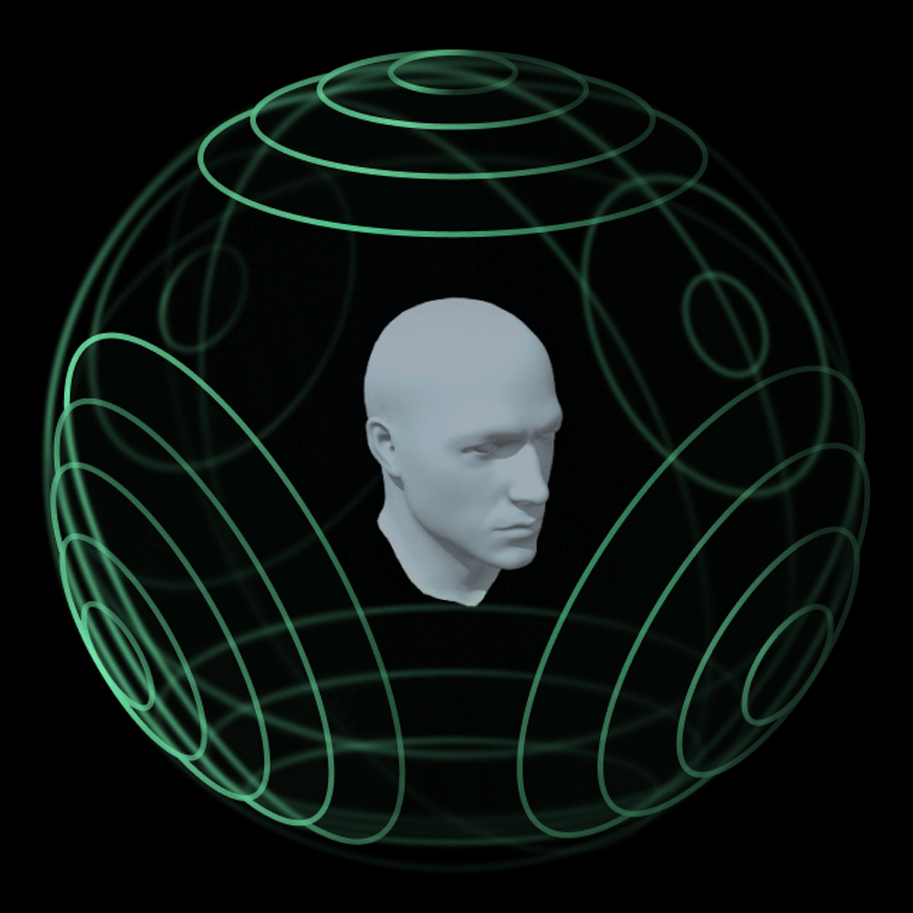
Together with natural language, we can also use spatial audio to reenforce the position of elements in physical space.
These sounds would be soft and subtle, using specific frequencies, rhythm, or tonal qualities to avoid blending into background noise. It’s gentle enough that I can listen to it for an extended period without it becoming annoying.
Ideally, the holy grail would be an optimised combination of both natural language and spatial audio.
It should rely on at least three protective sound mechanics:
Directional cues: Indicating which direction I should walk.
Attention cues: Alerting me when a decision is required.
Reassurance cues: Confirming that I’m on the right path.
This made me think about Embark’s new game Arc Raiders, where sound alone is used to help players locate Raider Caches.
They do this incredibly well. In a game where audio already plays a major role, constantly delivering information through gunfire, explosions, rain, lightning and everything in between, the Raider Cache sound still stands out clearly from the environmental noise.
It’s a powerful example of how sound can sometimes be so effective as visuals.
In the case of Arc Raiders, a visual marker would simply become one more tiny dot in a mostly likely crowded HUD at the bottom of the screen, breaking the playing immersion.
This makes a strong case for spatial audio, and for sound as a primary tool to inform and guide the player.
(I recorder a short video so you guys can see exactly what I’m talking about)
In the game, even using a standard set of headphones, the position of the Cache relative to the character is absolutely clear in all 3 axis.
Using only these types of sounds without any language, would work perfectly for a gamified scavenger hunt experience, like the one proposed in the briefing. That approach would lean more toward the entertainment side.
Of course, visual cues can always be added to reinforce the sound if the device allows it - we can have different levels of complexity when presenting visual cues.
I quickly mocked up three levels to demonstrate how this could be implemented, although I prefer to keep this challenge sound-based only or at best audio-first/visual-confirmational.
03// Bureaucracy Offload
Somewhere along the way to my train platform, the AI reminds me that I still need to buy a ticket.
This is usually the most stressful part for me, because depending on the situation:
I’m not entirely sure where I’m going.
I don’t know the exact name of the station.
I don’t know whether it’s a 15-minute ride or a one-hour trip.
I don’t understand which type of ticket applies to my situation.
Avoiding over explaining this step, there are two ways I could buy a ticket:
Using a ticket vending machine.
Using the BVG app (Berliner Verkehrsbetriebe) - everyone in Berlin uses it and the app is heavily promoted throughout the airport as the quickest and safest way to purchase tickets for all public transport.
Let’s assume I already have the app installed, and that the AI can access it.
Once all the necessary data is gathered, the AI requires a clear action from me:
“We’ll need to take the train. Fastest route is train RE7, departing in 18 minutes. Total cost for this ticket is €3.80. Shall I purchase your ticket?
I can respond by voice, or simply nod yes or no.
Of course, a visual cue can always be added to reinforce the sound.
04// On Route
Once I’m on the train, the AI reassures me as we depart that it will notify me in time when it’s my stop and remind me of the station name.
“I’ll let you know when it’s time to get off. In the meantime, enjoy the Berlin city view.”
At the stop just before mine, the AI will reach to me again:
“Next stop: Ostbahnhof. This is where we leave the train. I’ll notify you again when we arrive at the station.”
05// Arriving Destination
Upon arriving at my destination, based on geolocation, the AI informs me that Uber Platz is only 30 meters away. It advises me to cross the road and tells me I should be able to see the Uber Arena.
The same sound mechanics can now be used to guide me to my hotel.
As I’m leaving the station, the AI engages with me again:
“You should be able to see Uber Platz on the other side of the road. At the center of the plaza is its main attraction, the Uber Arena. Our hotel is to the left of the arena. If you’d like me to guide you, just let me know.”
Now that the main priority is handled, a new layer of secondary info comes into play.
Based on location and context the AI will give me suggestions based on my interests:
“Kruder & Dorfmeister are playing at the Uber Arena this weekend.
If you’d like more details, including schedules and ticket prices, just let me know.”
It also knows from my online searches that I frequently browse the Uniqlo website, and since there are no Uniqlo stores in Portugal, it adds:
“There’s a shopping mall in Uber Platz with the largest Uniqlo store in Germany, just 20 meters from our hotel. You might want to check it out.”
Within Uber Platz alone, there could be several additional suggestions; cultural events, restaurants, bars, or even uniquely Berlin attractions, like for example, those small karaoke phone booths on the sidewalk where people step inside to sing. Since I’m interested in music, that might be the kind of Berlin curiosity the AI might assume I’d enjoy.

Final Notes
I’ll try to make a few brief comments on some of the thoughts I had while building this case, happy to discuss them further if you’re interested.
I didn’t use a lot of tools for this use-case, just GPT for polish text, mainly to condense ideas as succinct as possible for better reading as I wrote all my texts before going to GPT; Photoshop for the AR visuals, and After Effects for the sound wave.
When I started thinking about an app that relies purely on sound, and how that would be a far more interesting challenge than using AR visuals,
I was reminded of the app Be My Eyes. I was an early adopter because I found the concept incredibly compelling: an app that allows you to register either as a blind person or a sighted person, so that at any time, anywhere, a blind user can ask for help from someone sighted to “be their eyes” through the phone camera.
It made me think that, for this challenge, a blind person would be the ultimate stress test for the app. If it works for someone who cannot rely on vision at all, then it should work for everyone.The “I’m in a foreign country” angle is simply a way of personifying an unfamiliar environment. By no means is this app trying to translate language - it goes way beyond that: it renders language irrelevant.
At no point during this journey does the user actually need to know what country they’re in.I believe the XR space has a great deal to learn from games. Many of the UI and UX challenges in XR are already being explored and solved in gaming to some extent. The example I gave from Arc Raiders, using sound as a primary guidance tool, is just one of hundreds.
As games introduce increasingly complex mechanics and systems, visual oversaturation (crowded UIs and HUDs) becomes a real issue, undermining immersion and suspension of disbelief. As a result, game designers are simply forced to explore alternative interface modalities.At times, I deliberately chose for the AI to say “we” instead of “you.” That wasn’t accidental. I strongly believe that humanizing AI is essential for mass adoption. Humanization builds immersion, and immersion builds trust. (setting aside for a moment the broader concerns about ensuring AI doesn’t turn into Skynet.)
I remember watching Knight Rider as a very young kid, with its talking car. It’s fascinating how, decades ago, they understood the key ingredient in building the relationship between Michael Knight and KITT: natural language. In contrast to 2001: A Space Odyssey, where the AI’s language feels cold and procedural (of course for theme alignment and “aesthetics” also), KITT as deeply human voice in every sense of the word.
There were no “prompts”, no rigid command structures, no visible iterations, just natural conversation.
KITT wasn’t perceived merely as an AI system, but as a co-pilot, a true wingman: essentially, a main character.The AI in this app is designed to mitigate stress. Instead of constantly pushing the user to make moment-to-moment decisions, it offers options, possibilities, and availability. It understands attention hierarchy.
With additional layers of sophistication, the app could even detect how fast we’re walking or how quickly we’re moving our heads: subtle indicators that we might be lost or overwhelmed. In response, the AI could activate reassurance mechanisms: adjusting tone of voice, increasing guidance cues, or shifting its level of proactivity - much like someone who genuinely has your best interests at heart.
It was genuinely thrilling to think through all of this. Thanks for the opportunity and thanks for watching.